Why Agencies Need an AI Assistant (Not Another Project Management Tool)
You run a digital agency. You have 14 active clients. Each one has their own Shopify store, their own ad accounts, their own analytics, their own communication preferences.
Your project management tool tracks tasks and deadlines. It does that well. But it cannot tell you that Client A's Shopify revenue dropped 23% last week. It cannot check if Client B's email campaign actually sent. It cannot pull Client C's calendar availability for a strategy call.
So your team does what agency teams always do. They open Shopify for Client A. Then Google Analytics. Then switch accounts to Client B's Shopify. Then open their email. Then check the shared calendar. Then update the PM tool with what they found.
Tool overload is the defining problem of agency work. And another project management tool does not fix it. It adds to it.
The Agency Tool Problem
Here is a rough count of tools a typical mid-size digital agency uses daily:
Project management (Asana, Monday, ClickUp). Client communication (Slack, email, WhatsApp groups). E-commerce platforms (Shopify, WooCommerce, one per client). Analytics (GA4, one per client). Ad platforms (Google Ads, Meta Ads, one per client). Design tools (Figma, Canva). Invoicing (FreshBooks, QuickBooks). Calendar (Google Calendar, Calendly).
That is 8+ categories. But many of them multiply by client count. 14 clients means 14 Shopify logins, 14 analytics accounts, 14 sets of ad platform credentials.
Your team spends an absurd amount of time switching between accounts. Logging in and out. Copying data from one tool to paste into another. Searching through email threads to find that one metric the client asked about.
This is not a project management problem. It is a data access problem. Your information is scattered across dozens of tools and dozens of client accounts. No PM tool solves that.
What an AI Assistant Does Differently
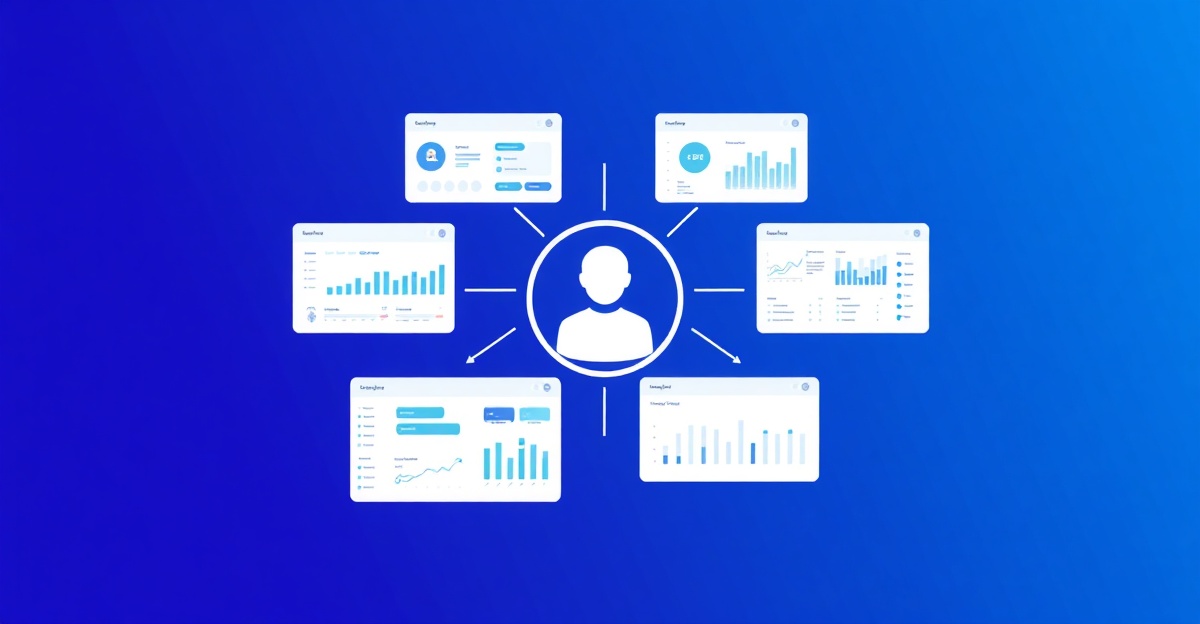
An AI assistant for agencies acts as a universal interface to all your tools and all your client accounts.
Instead of logging into Client A's Shopify, you type: "What were Client A's sales last week?"
Instead of opening three browser tabs to compare performance, you type: "Compare revenue for Client A, B, and C over the last 30 days."
Instead of digging through email for a client's request, you type: "What did the client at Greenleaf Co ask for in their last email?"
The AI connects to each tool, pulls the right data from the right account, and gives you the answer. One interface. All clients. All tools.
But the killer feature for agencies is not speed. It is data isolation.
Client Data Isolation: The Feature Agencies Cannot Skip
Agencies handle sensitive data for multiple clients. Often competing clients. Your e-commerce agency might manage two clothing brands that compete for the same audience.
You absolutely cannot have Client A's sales data visible to the team member who only works on Client B. You cannot have a junior team member accidentally pulling financial data for a client they are not authorized to access.
Project management tools handle this with workspaces and permissions. But they only control task data. They do not control who can access which client's Shopify or which client's email.
A properly built AI assistant handles this at the data layer. In Cloneify, you configure access controls per team member per client:
- Sarah can access Shopify, Analytics, and Email for Clients A, B, and C.
- Mike can access Shopify and Analytics for Clients D and E only.
- The intern can access Calendar for all clients but nothing else.
When Mike asks "show me last week's revenue," the AI only shows data for Clients D and E. It does not even acknowledge that other clients exist. The isolation is complete.
This matters for compliance too. If a client asks "who at your agency accessed our data," you have an audit trail. Every query, every action, logged and attributed to a specific team member.
Real Agency Workflows with AI
Let us walk through a typical agency Monday morning. Without AI and with it.
Without AI: 9:00 AM. Account manager opens Monday.com to check this week's tasks. 9:15 AM. Opens Shopify for Client A, checks weekend sales, copies numbers into the weekly report doc. 9:30 AM. Switches to Client B's Shopify, repeats the process. 9:45 AM. Opens GA4 for Client A. Checks traffic. Screenshots the dashboard. 10:00 AM. Opens Client C's email to check for replies to last week's proposal. 10:15 AM. Opens Google Calendar, finds slots for three client calls this week. 10:45 AM. Updates the PM tool with all findings. 11:00 AM. Finally starts doing actual strategic work.
Two hours of context switching before real work begins.
With an AI assistant: 9:00 AM. Account manager opens Slack (or WhatsApp) and types:
"Give me a Monday morning summary. Weekend sales for Clients A, B, and C. Any urgent emails from clients. Open tasks due this week. My available calendar slots for client calls."
9:02 AM. The AI responds with a structured summary. Sales numbers with week-over-week comparisons. Two urgent client emails flagged. 8 tasks due this week. Available slots listed.
9:05 AM. "Schedule calls with Client A on Tuesday 2 PM and Client C on Wednesday 10 AM. Reply to Client B's email saying we received their feedback and will have revisions by Thursday."
9:06 AM. Done. Calendar invites sent. Email sent. The account manager starts strategic work at 9:10 AM instead of 11:00 AM.
Nearly two hours saved. Every Monday. For one team member.
Why PM Tools Cannot Replace This
Project management tools are designed for task tracking and team coordination. They are good at that. Keep using them.
But PM tools have fundamental limitations for the agency data access problem:
They do not connect to client tools. Asana cannot pull Shopify data. Monday.com cannot check Gmail. ClickUp cannot query Google Analytics. These tools track what your team says they did. They do not verify it against actual data.
They require manual data entry. Every metric, every update, every status change requires a human to type it in. Humans forget. Humans round numbers. Humans delay updates. AI pulls live data from the source.
They do not span communication channels. Your client messages you on WhatsApp. Your team communicates on Slack. Your PM tool is a third place. An AI assistant works across all three channels. One conversation that picks up wherever you are.
They add to tool count instead of reducing it. The whole point of an AI assistant is to reduce the number of tools you need to touch. A PM tool is another tool.
Access Control for Client Data
Setting up an AI assistant for multi-client agencies requires careful permission architecture. Here is how it works in Cloneify:
Workspaces: Each client gets a workspace. All their connected tools (Shopify, email, analytics) live in that workspace. Data never leaks between workspaces.
Team roles: You assign team members to specific workspaces with specific permission levels. View-only. View and act. Full admin.
Tool-level permissions: Within a workspace, you can restrict which tools a team member can access. A social media manager might see the editorial calendar but not the financial data.
Audit logging: Every query and action is logged with the team member's identity, timestamp, and what data was accessed. Exportable for client reporting or compliance.
This is not optional for agencies. It is the minimum bar for responsible multi-client operations.
Getting Started for Agencies
Most agencies start by connecting their 2-3 highest-maintenance clients first. The ones with the most frequent data requests. The ones that eat the most time.
Connect their Shopify stores, email accounts, and calendars. Set up team permissions. Run it for two weeks during the free trial.
The typical result: account managers save 5-10 hours per week. Client response times drop. Data accuracy improves because it comes from the source instead of human memory.
Cloneify's Starter plan at $49/month works for small agencies up to 5 clients. The Enterprise plan at custom pricing supports unlimited clients with advanced access controls and audit logging.
Start your 14-day free trial and connect your first client in under 15 minutes.
FAQ
Can each client have their own communication channel with the AI? Yes. You can set up dedicated Slack channels, WhatsApp threads, or web chat instances per client. Each channel connects to that client's workspace only. Your team accesses client data through the appropriate channel, and the AI automatically scopes responses to that client's data.
How does Cloneify handle agencies that manage competing clients in the same industry? Data isolation is enforced at the infrastructure level. Team members assigned to Client A cannot access Client B's data, even by asking indirect questions. The AI will not compare or cross-reference data between workspaces. Each client's data exists in a completely separate context.
Can we give clients direct access to the AI assistant for their own data? Yes. You can create client-facing access with limited permissions. Clients can ask questions about their own Shopify sales or campaign performance without seeing your internal processes or other client data. Many agencies use this as an added service, giving clients a self-serve reporting tool.